


Claude by Anthropic
4.515.51K Reviews
App Specs
- Version
- 1.261023.20
- Updated On
- License
- Free
- Downloads
- 50,000,000+
- Developer
- Anthropic PBC
- Categories
- Productivity
- Platform
- Android, iOS
Screenshots




 Analysis by AppCompare
If you're anything like me, you're always on the lookout for apps that can make life a little easier or just a bit more interesting. Recently, I've been exploring Claude by Anthropic, and let me tell you, it's been quite the adventure.
The appeal in the first week
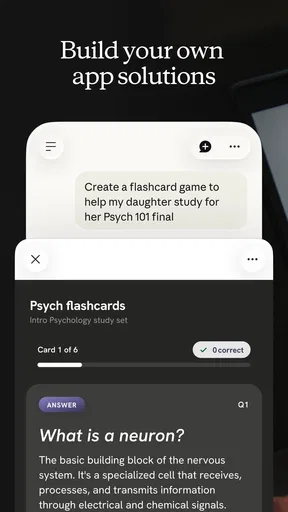
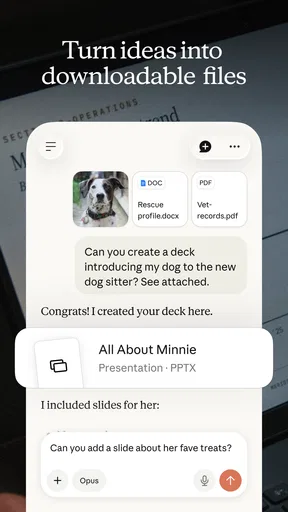
What caught my attention at first was the freedom to bring different kinds of questions to one place. As a productivity app from Anthropic PBC, Claude can help with drafting, explaining, brainstorming, and working through code or other complicated tasks. I found it most useful when I had a half-formed thought and needed help turning it into something I could act on, rather than when I wanted a button to perform a fixed task.
A realistic example is a busy morning when I have a long message to answer, a few notes from a meeting, and a decision I am putting off. I can ask Claude to help shape the reply, organize the notes into themes, and lay out the trade-offs in the decision. The important part is that I still review the result. It can give me a useful first draft or a clearer way to think, but it does not know which details matter unless I explain them.
The first week is also when the conversational format feels freshest. Instead of learning a complicated set of controls, I can describe what I need in ordinary language, then ask follow-up questions when the first answer misses the mark. That makes it approachable for occasional users as well as people who already use AI tools. I would not treat that ease as proof that every answer is dependable, though; when accuracy matters, checking the facts remains part of the job.
What is Claude by Anthropic?
So, let's dive into what this app is all about. Claude by Anthropic is a conversational AI app designed to provide users with an interactive and intuitive experience. It aims to be your personal assistant, capable of handling a variety of tasks from setting reminders to answering complex questions. If you've ever wished for a friendly AI companion, this might just be the app for you.
Getting Started
Jumping into Claude was a breeze. The installation was quick, and setting it up required nothing more than a few taps. Once I was in, I was greeted by a sleek and user-friendly interface that made navigating through the app a joy. It’s like the app was designed with simplicity in mind, which I appreciate as someone who isn't always tech-savvy.
The first thing I noticed was how natural the conversations felt. It was like chatting with a friend who somehow knew everything (or at least a lot more than I do!). Whether you’re asking about the weather or wanting to know the history of the Eiffel Tower, Claude handles it with ease.
Worth Reading Before You Choose

Baby Panda World Brings Quick Play to Modern Phones, but Its Game Library Feels Busy

ESPN’s Live Game View Makes Following Close Games Easier

QuizzLand Review: A Good Fit for Short Trivia Breaks, Not Every Player

Basketball Stars: Multiplayer Is Fast, but Can It Recover When Matches Go Wrong?

WEBTOON Turns Phone Updates Into a Better Reading Routine

Link to Windows Runs on Shared Habits, Not Social Feeds
Features that Stand Out
One of the standout features of Claude is its ability to learn and adapt. The more you use it, the better it gets at understanding your preferences and needs. It’s like having a personal assistant who gets more attuned to you over time. Pretty neat, right?
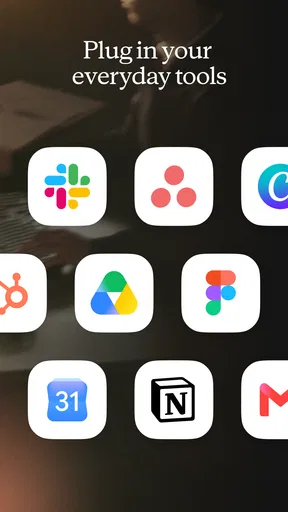
Another feature worth mentioning is Claude's ability to integrate with other apps and services. Whether it’s syncing with your calendar, setting reminders, or even controlling smart home devices, Claude seems to have a handle on it. It’s like having a control center for your digital life.
Making the habit useful month after month
For me, an AI assistant earns a regular place on my phone only if it keeps helping after the novelty wears off. Claude is most likely to do that when I give it recurring kinds of work: turning rough notes into a readable summary, asking for a plain-language explanation of something unfamiliar, or getting a first pass at a document I will revise myself. Those tasks are repeatable, and each one gives me a clear reason to open the app again.
A practical tip is to make requests specific about audience, purpose, and format. Rather than asking for a general summary, I might say that I need a short version for a colleague who has not seen the discussion, followed by the unresolved questions. That usually gives me a more usable starting point and makes it easier to spot what still needs my judgement. I also find it helpful to ask Claude to identify assumptions or offer a counterargument when I am using it to think through a decision, instead of treating its first answer as the conclusion.
For writing, I would use it as a collaborator rather than a replacement for my own voice. I can ask for a structure, request a few alternative openings, or have a dense paragraph explained more simply; then I choose what fits and rewrite anything that sounds unlike me. For coding, it can help explain an error or sketch an approach, but I would still test code and check whether it fits the surrounding project. That distinction is central to getting recurring value: Claude can reduce the effort of getting started, while responsibility for the final work stays with me.
Performance and Usability
In terms of performance, Claude runs smoothly without any noticeable lag. The developers at Anthropic have clearly put a lot of effort into ensuring that the app is both responsive and reliable. I’ve been using it on my daily commute, and it’s been a game-changer in terms of productivity. No more fumbling through multiple apps while on the go!
The usability factor is also high. With its intuitive design and straightforward navigation, you don’t have to be a tech guru to make the most of it. It’s designed for everyone, from tech enthusiasts to those who just want something that works without the hassle.
Keeping the routine light
The maintenance burden is low in the sense that I do not need to build a complicated system before asking for help. The app is free to download, and its current version is 1.260202.37; it requires Android 8.0 or later. Claude is also available on iOS. The age rating is Teen, which is worth considering if you are choosing apps for a younger user. There are in-app purchases, with listed amounts ranging from $7 to $250 per item, so I would check the purchase details in the relevant store before deciding whether any paid option suits my needs.
There is a different kind of upkeep, however: I need to give the assistant enough context and check what it gives back. If I return to a topic after a gap, I should restate the relevant background rather than assume it will know exactly what I mean. For longer tasks, I get better results by breaking the work into stages: first ask for an outline or diagnosis, then correct misunderstandings, then request a polished draft. That approach takes a little more attention than typing one vague question, but it is usually more useful than repeatedly asking for a complete answer from scratch.
Where fatigue can set in
Conversational AI can become tiring when a response sounds confident but does not answer the actual question, or when I have to spend more time correcting it than I would have spent doing the task myself. Claude is not a substitute for a specialist, a primary source, or my own judgement. I am particularly cautious with current facts, consequential advice, and technical changes: I verify important details independently instead of relying on a polished-sounding answer.
It also is not the right tool for every productivity problem. If I need a dependable calendar alert, a dedicated calendar or reminder app is a better fit than asking a conversational assistant to manage a routine. If my work depends on exact calculations, structured records, or a team’s established document workflow, the appropriate specialist tool is usually more predictable. Claude is strongest when language and reasoning are the work; it is less compelling when the task is already handled cleanly by a purpose-built app.
Compared with the usual alternatives, such as a conventional search engine or a writing app, Claude offers a back-and-forth exchange rather than a page of links or a blank document. That can save time when I need an explanation or a draft, but it changes the trade-off: search results make it easier to inspect sources directly, while a word processor gives me precise control over a finished document. I use Claude to explore and shape ideas, then move to the tool that is better suited to verification, editing, or storing the final work.
Final Thoughts
After spending some quality time with Claude by Anthropic, I can confidently say that it’s a must-try for anyone looking to simplify their digital interactions. It’s not just an app; it’s like having a smart companion that’s always ready to help out. Whether you’re looking to boost productivity or just want a fun conversational partner, Claude has got you covered.
So, would I recommend giving Claude a whirl? Absolutely. It’s not just about the features, but the seamless experience it offers. You can check it out on the App Store or Google Play, and see for yourself how it can make your life a little bit easier. Trust me, you won’t be disappointed!
Does it deserve a lasting place?
Claude has a 4.6 average from around 191,000 ratings, with roughly 5,900 written reviews and over 10 million installs. Those figures suggest that it has reached a broad audience, but they do not tell me whether it will suit my particular routine. I would judge that by whether it regularly saves me a worthwhile amount of effort, not by how often I open it or how impressive a single conversation feels.
I would recommend trying it if writing, explaining, brainstorming, or reasoning through unfamiliar material comes up often in your day. I would be less likely to recommend relying on it as the centre of a workflow that demands guaranteed accuracy or automatic handling of reminders and other fixed actions. The best lasting habit is modest: bring it a specific task, give it enough context, inspect the answer, and keep the result only if it genuinely improves the work.
That is why my long-term verdict is positive but practical. Claude can earn space on my phone when I treat it as a flexible thinking partner, not as an authority or a replacement for every app I already use. If that matches what I need, I can see a reason to return after the first-week excitement fades; if I mainly want a calendar, a searchable source library, or a tool that never needs checking, I would choose something built specifically for that job instead.
Pros
- User-friendly interface for easy navigation.
- Offers advanced AI-driven conversations.
- Supports multiple languages seamlessly.
- Quick response time for queries.
- Highly customizable settings available.
Cons
- Requires a stable internet connection.
- Limited offline functionality.
- Can be resource-intensive on older devices.
- Occasional incorrect responses.
- Subscription required for premium features.
FAQs for Claude by Anthropic
What is Claude by Anthropic and what does it offer?
Claude by Anthropic is an AI-powered assistant designed to help users with a variety of tasks, from answering questions to providing detailed explanations on different topics. It offers a user-friendly interface and aims to enhance productivity through seamless interaction. Users can leverage Claude for both personal and professional needs.
Is Claude by Anthropic available on both Android and iOS platforms?
Yes, Claude by Anthropic is available for download on both Android and iOS devices. This ensures that users across different platforms can access its features and benefits. The app is designed to run smoothly on both operating systems, making it a versatile tool for a wide range of users.
Does Claude require an internet connection to function?
Yes, Claude requires an active internet connection to function optimally. This is because it processes queries and delivers responses in real-time, leveraging cloud-based AI capabilities. An internet connection ensures that you receive accurate and up-to-date information whenever you use the app.
Is there a cost associated with using Claude by Anthropic?
Claude by Anthropic offers a free version with basic features, but there may also be premium subscription options that unlock advanced functionalities. These subscriptions often come with a monthly or annual fee, providing enhanced features and priority support for users who seek more comprehensive assistance.
How does Claude by Anthropic ensure user privacy and data security?
Claude by Anthropic prioritizes user privacy and data security. The app employs encryption and follows strict data privacy protocols to ensure that user information is protected. Additionally, Anthropic is committed to transparency, allowing users to understand how their data is used and giving them control over their privacy settings.


